In short: Shop floor connectivity is the ability to read data from machines, controllers, sensors and other production equipment and make it available to IT systems such as MES, ERP, analytics, cloud services and AI applications. It covers the connection to every device in its own protocol, such as OPC UA, Siemens S7 or Modbus, and the layer that translates, structures and distributes this data. Related terms are machine connectivity, which describes the connection to a single machine, and shop floor integration, which describes the use of the data in business processes. Good shop floor connectivity works with the existing installed base, without changes to machines or PLC programs.
Jump to: Terms · The problem · Architecture · Protocols · Maturity levels · Benefits · Challenges · Case study · Examples · Security · Implementation · FAQ
The shop floor is where products are made: the production halls with their machines, lines, robots, test benches and the systems that control them. Its counterpart is often called the top floor, the world of ERP, planning and business applications. Shop floor connectivity describes the technical connection between these two worlds, and it starts at the individual machine.
Several terms are used in this context, sometimes as synonyms. The table shows how they differ.
| Term | What it covers | Typical question |
|---|---|---|
| Machine connectivity | The connection to a single machine or controller and reading its data | How do we get the spindle speed and the program status out of this CNC? |
| Shop floor connectivity | The connection of all machines and systems of a plant, including the layer that standardizes and distributes the data | How do all lines deliver their data in one consistent way? |
| Shop floor integration | The use of shop floor data in business processes, for example in MES, ERP or quality systems | How do produced quantities flow back into the ERP automatically? |
| IT/OT integration | The technical and organizational convergence of production technology and IT as a whole | Who is responsible for the data between production and IT? |
Shop floor connectivity is the foundation for the other three. Shop floor integration and IT/OT integration only work if machine data is reliably available, and connecting individual machines does not yet create a shared data foundation for the whole plant.
Machine connectivity is the first step: a machine or controller gets a data connection, and its values such as status, speeds, temperatures, counters or alarms can be read. For a single machine this is often quick to do. It becomes demanding when hundreds of machines from different vendors and generations are involved, each with its own interface. At that point, machine connectivity turns into a question of architecture, and that is what shop floor connectivity is about.
A typical plant has grown over decades. A press from the 1990s runs next to a new machining center, and a line from one vendor is followed by a line from another. Each controller speaks its own protocol, uses its own data structures and was designed to run its machine reliably. Sharing data with IT was rarely part of the specification. The data needed for OEE, quality, energy or maintenance therefore exists in the controllers, but it is hard to reach.
Many companies respond with individual solutions: a gateway for this line, a script for that machine, a direct interface from the MES to a few controllers. Each connection works on its own, and together they form a tangle of point-to-point interfaces. Every new application needs new connections to the same machines, every machine replacement breaks several of them, and nobody has an overview of which data flows where. On top of that, every additional query puts load on controllers whose main job is production.
Current studies show how widespread this is. In a 2026 survey by the German digital association Bitkom among 555 industrial companies, 57 percent said the data needed for digital twins is missing, and 48 percent saw deficits in IT infrastructure as a reason why digital twin projects often fail. A study by Rockwell Automation with IDC among 1,560 manufacturing decision makers in 17 countries found that 93 percent run an MES, but only 23 percent have fully integrated it with ERP, PLM, quality and OT systems. 43 percent said they do not use the data they already collect effectively.
The pattern is familiar from many pilot projects. A use case works on one line because someone connected those few machines by hand. The rollout to further lines and plants then stalls, because every connection has to be built again. Shop floor connectivity addresses this at the root: the connection to the machines becomes shared infrastructure that every project can use.
A shop floor connectivity architecture consists of several layers. They can run on one system or be distributed across edge devices and a data center, but their tasks stay the same.
The decisive point is the decoupling between the connectivity layer and the applications. Applications access a shared data layer and never the controllers directly. A new application therefore needs no new machine connections, and a machine replacement only changes one connector.
Where the connectivity layer runs depends on the requirements. Connectors often run at the edge, close to the machines, to keep latency low and keep production data flowing even if the connection to the data center is interrupted. Configuration and monitoring can still be managed centrally for all plants. Software that provides this layer together with data management and applications is usually called an Industrial IoT platform.
No plant speaks only one protocol. The table gives an overview of the most common ones and where they are used. Detailed articles are available for OPC UA and MQTT.
| Protocol | Typical devices | Role in shop floor connectivity |
|---|---|---|
| OPC UA | Modern PLCs, CNCs, injection molding machines and many other machines | Vendor-independent standard with an information model, widely used for reading machines |
| Siemens S7 | SIMATIC S7-300, S7-400, S7-1200 and S7-1500 | Direct access to the data blocks of widespread Siemens controllers, also where OPC UA is not available |
| Modbus TCP and Modbus RTU | Energy meters, drives, sensors, older controllers | Simple and widely used protocol for register values, with little context |
| MTConnect | Machine tools | Open standard for machine tool data, developed in the US |
| Heidenhain DNC and Fanuc FOCAS | CNC controls of machine tools | Vendor-specific interfaces to CNC data such as programs, axis positions and states |
| Beckhoff ADS | Beckhoff TwinCAT controllers | Native protocol for Beckhoff controllers |
| EtherNet/IP and Profinet | Controllers, drives and field devices | Industrial Ethernet protocols used in automation networks |
| MQTT | IIoT devices, gateways and edge systems | Lightweight publish/subscribe protocol, mainly used to distribute data |
Two points are often underestimated. Many controllers support OPC UA only from certain firmware versions or with limits, such as a maximum number of nodes. The Siemens S7-1200 limits its built-in OPC UA server, which is why native S7 access is often the more robust route, as our article on the S7-1200 OPC UA node limit explains. In addition, every query costs computing time on the controller. Good connectivity reads data efficiently, for example several values in a single request, and reads each value only once, however many applications need it.
Shop floor connectivity develops in stages. The maturity levels help to place your own plant and plan the next step.
| Level | Characteristics | Typical limit |
|---|---|---|
| 1. Manual data collection | Operators record quantities, downtimes and scrap on paper or in spreadsheets | Data is delayed, incomplete and hard to evaluate |
| 2. Isolated connections | Individual machines are connected for one specific application, often with a script or a gateway | Every application builds its own connections, and the knowledge sits with individual people |
| 3. Connected line or plant | A connectivity layer connects most machines of a plant and provides standardized data | Other plants work differently, and the data models do not match |
| 4. Common data model | Data from all machines follows one structure, and applications access a shared data layer or Unified Namespace | The rollout to further plants still takes a lot of manual work |
| 5. Connected plants managed as code | Connections, mappings and permissions are described as configuration, versioned and rolled out to all plants | Requires clear ownership between OT and IT and defined governance |
The step from level 3 to level 4 matters most. Only a common data model makes use cases transferable, so that a dashboard or an AI model built for one line also works on the next one.
Shop floor connectivity has no value on its own. Its value lies in what it enables: every application that needs production data gets it from the same source, in the same quality and in near real time.
| Challenge | Why it occurs | Solution |
|---|---|---|
| Old machines without modern interfaces | Older controllers often speak only proprietary or serial protocols | Native protocol adapters, and retrofitting with sensors or energy meters where no data interface exists |
| Protocol diversity | Each vendor and each controller generation brings its own protocols and data structures | A connectivity layer with adapters for all relevant protocols and a common data model |
| Load on controllers | Several applications query the same machine independently | Read once and distribute many times via a broker, with efficient queries such as batch reads |
| Security concerns in OT | Opening production networks increases the attack surface | Network segmentation, outbound connections, encryption and fine-grained permissions |
| Unclear ownership | OT owns the machines, IT owns the applications, and the data in between has no owner | Defined roles for data ownership and shared governance by OT and IT |
| Effort per plant | Every plant is connected individually and by hand | Templates and configuration as code, with central management of all plants |

A German automotive manufacturer with three production sites connects its machines and systems via OPC UA, S7, Heidenhain, Werma and Modbus TCP. Configuration updates reach more than 5,000 assets twice a day during running production. The case study shows the architecture behind it and how savings of up to €1.7 million come about.
You are currently viewing a placeholder content from HubSpot. To access the actual content, click the button below. Please note that doing so will share data with third-party providers.
More InformationMachine states, quantities and scrap from all machines flow into one data model. OEE can then be calculated on the same basis everywhere, and lines and plants become comparable.
Vibration, temperature and current values reach analytics and AI models continuously. Models for predictive maintenance detect deviations early and report them to the maintenance team.
Order data, quantities and machine states are exchanged between the shop floor, the MES and the ERP, without each system needing its own connection to the controllers. Learn more about MES integration.
Energy meters, often connected via Modbus TCP, and controllers deliver consumption values per machine and production step. Energy management and sustainability reporting work with measured values per machine.
Process parameters are linked to serial numbers and batches, so quality questions can be answered for every single part. More on traceability.
In plastics processing, a narrow temperature window decides product quality. The SKZ plastics center brings together data from various sources and sensors and uses it in a machine learning model that derives recommendations for the process and reduces rejects.
Many tightening controllers support the Open Protocol, through which results and curves can be read automatically for every screw joint and assigned to the part. Quality evidence is created without manual documentation.
Shop floor connectivity opens production networks for data exchange. Security therefore belongs in the design from the start. These principles have proven themselves:
Governance matters as much as technology. Someone has to decide which data model applies, who maintains the connections and who approves new data consumers. In practice, this works best as a shared responsibility of OT and IT, with clear roles for data ownership.
How existing Siemens controllers can be connected to MQTT without re-engineering is shown in our article Siemens PLC to MQTT. Our approach for getting started describes the first weeks of a project.
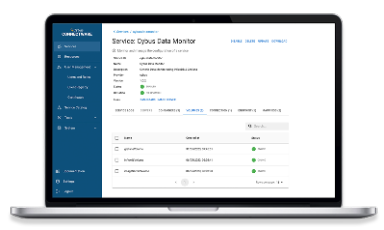
Cybus Connectware is the data foundation that connects the shop floor of manufacturing companies with their IT. It reads machines and systems in their native protocols, structures the data and distributes it to any application, on premises, at the edge or in the cloud. Existing machines and PLC programs stay untouched.
The agricultural machinery manufacturer CLAAS chose Cybus Connectware after more than 80 technical validations in a proof of concept. Within twelve weeks, CLAAS and Cybus demonstrated technical feasibility and laid the organizational groundwork for a cross-site rollout. The framework agreement covers up to eight plants and around 1,000 assets, all managed from one central instance. Read the CLAAS story.
The built-in broker is called CybusMQ and comes as part of Cybus Connectware.
trusted by









Shop floor connectivity is the ability to read data from machines, controllers and sensors in production and make it available to IT systems such as MES, ERP, analytics and AI applications. It includes the connection to each device in its protocol and the layer that standardizes and distributes the data.
Shop floor connectivity is the technical connection to the machines and the provision of their data. Shop floor integration uses this data in business processes, for example when produced quantities flow into the ERP automatically. Connectivity is the prerequisite for integration.
Machine connectivity is the data connection of a single machine or controller, so that values such as status, speeds, counters or alarms can be read. Shop floor connectivity extends this to all machines of a plant and adds a common data model.
The most common are OPC UA, Siemens S7, Modbus TCP, MTConnect, EtherNet/IP and vendor-specific interfaces such as Heidenhain DNC, Fanuc FOCAS or Beckhoff ADS. MQTT is mainly used to distribute the collected data.
Yes, in most cases. Many older controllers can be read via their native protocol, such as S7 or Modbus. Where a machine has no usable data interface, sensors or energy meters can be retrofitted.
Usually not. Data is read via the interfaces the controllers already have. In some cases an interface has to be enabled in the controller configuration, for example an OPC UA server.
OPC UA is often used to read machines because it transfers values together with their meaning. MQTT distributes the data to many consumers via a broker. Both complement each other in a modern architecture.
No. Shop floor connectivity is a capability, the connection of machines and the provision of their data. An Industrial IoT platform is software that provides this capability and usually adds data management, security and tools for applications.
No. The connectivity layer usually runs on premises or at the edge, close to the machines. Cloud services can be connected for analytics or long-term storage if needed.
The first machines and a first use case can go live within weeks. At CLAAS, the proof of concept and the groundwork for a cross-site rollout took twelve weeks. Connecting many plants is a gradual process that benefits from templates and configuration as code.
You need to load content from reCAPTCHA to submit the form. Please note that doing so will share data with third-party providers.
More InformationYou are currently viewing a placeholder content from Turnstile. To access the actual content, click the button below. Please note that doing so will share data with third-party providers.
More InformationYou are currently viewing a placeholder content from Facebook. To access the actual content, click the button below. Please note that doing so will share data with third-party providers.
More InformationYou are currently viewing a placeholder content from Hubspot Embedded Content. To access the actual content, click the button below. Please note that doing so will share data with third-party providers.
More InformationYou are currently viewing a placeholder content from HubSpot. To access the actual content, click the button below. Please note that doing so will share data with third-party providers.
More InformationYou are currently viewing a placeholder content from Hubspot Meetings. To access the actual content, click the button below. Please note that doing so will share data with third-party providers.
More InformationYou are currently viewing a placeholder content from Instagram. To access the actual content, click the button below. Please note that doing so will share data with third-party providers.
More InformationYou are currently viewing a placeholder content from reCAPTCHA. To access the actual content, click the button below. Please note that doing so will share data with third-party providers.
More InformationYou are currently viewing a placeholder content from X. To access the actual content, click the button below. Please note that doing so will share data with third-party providers.
More Information